

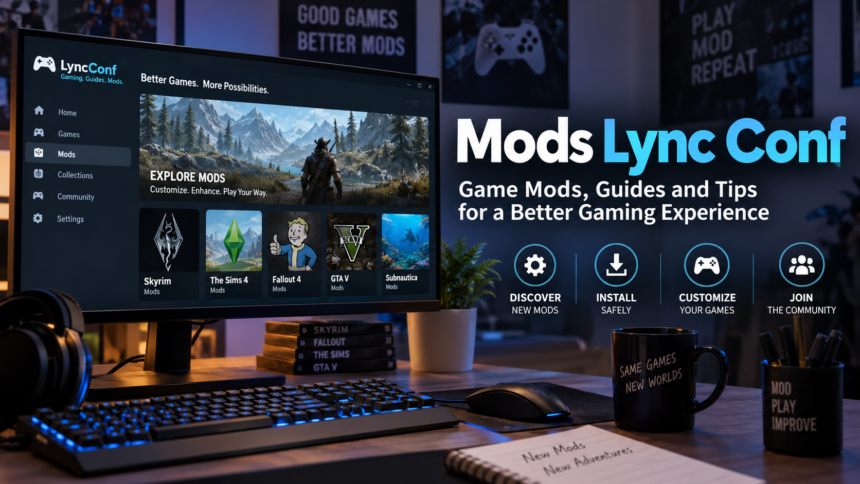
The phrase “mods lync conf” is best understood as a search for game-mod information associated with LyncConf.com, a gaming website that publishes modding guides and other game-related content. It is not the name of a single game, a universal modding system, or a standard type of mod.
That distinction matters because search results for the phrase have become confused. Some pages describe “Lync Conf Mods” as modifications for Microsoft’s old Lync conferencing software, while others write as though “LyncConf” itself were a video game. LyncConf’s own About page provides a much clearer answer: the site says it launched in October 2017 to help gamers find games, reviews, alternatives, troubleshooting information and gaming mods.
In practical terms, someone looking for mods Lync Conf is usually looking for mod recommendations, installation advice or modding resources for individual PC and console games. The important question is therefore not “How do I install a LyncConf mod?” but which game are you modifying, where does the mod come from, and what does that game require?
What Does “Mods Lync Conf” Actually Refer To?
LyncConf.com describes itself as a gaming publication rather than a game or modding application. Its stated areas of coverage include video-game recommendations, reviews, gaming errors and mods used to customize existing games.
The site’s current Gaming Mods material also covers multiple unrelated titles rather than one proprietary LyncConf ecosystem. Its mod pages link to subjects including Skyrim, The Sims 4, The Elder Scrolls Online, Oblivion, Fallout games, GTA 5, Torchlight 2 and Subnautica.
That leads to an important clarification:
There is no single “LyncConf mod” format that works across all of these games.
A Skyrim mod, for example, follows Skyrim’s file structure, dependencies and load-order rules. A GTA 5 modification may require completely different tools. A Steam Workshop mod can have another installation process again.
Valve defines a mod as a player-created modification of a game or other software. Such modifications can be as small as a graphical replacement or as extensive as new characters, maps, missions or an almost entirely new game. Valve also notes that a mod normally requires the base game it was created for.
LyncConf is a discovery resource, not the base game
This is one of the most useful distinctions for anyone arriving from search.
| Question | Practical answer |
|---|---|
| Is LyncConf a video game? | No. LyncConf describes itself as a gaming website. |
| Is there one universal LyncConf mod system? | No. Mods are created for particular games and software. |
| Do all mods install in the same way? | No. Installation depends on the game, platform and mod. |
| Can a LyncConf article be used to discover mods? | Yes, the site publishes gaming-mod content and game-specific guides. |
| Should compatibility be checked elsewhere too? | Yes. Check the mod creator’s page and the game’s official or established modding platform whenever possible. |
Is “Lync Conf Mods” Related to Microsoft Lync?
The wording makes the confusion understandable, but these are different subjects.
Microsoft Lync was an enterprise communication product used for messaging, calling and online meetings. Microsoft officially renamed Lync to Skype for Business in April 2015.
Microsoft’s lifecycle records also show that support for Lync 2013 and Lync Server 2013 ended on April 12, 2023.
There were administrative configurations, APIs and customizations around Microsoft Lync, but that history should not be automatically turned into a product category called “Lync Conf Mods.” For a gaming-focused search such as mods lync conf, LyncConf.com’s own description and current content point much more directly toward video-game modding.
If you are specifically administering a legacy Microsoft Lync or Skype for Business deployment, Microsoft documentation is the appropriate source rather than gaming-mod guides.
How Game Mods Work
A mod changes or supplements some part of a game.
The change may affect:
- textures, lighting or other graphics;
- characters, clothing or cosmetic assets;
- interface elements;
- maps or levels;
- quests and story content;
- game balance or mechanics;
- AI behaviour;
- audio;
- performance-related settings;
- entirely new modes or campaigns.
Mods also vary considerably in technical complexity.
A simple texture replacement might involve only a few asset files. Another mod may require a script extender, framework, plugin loader or several prerequisite mods. Large mod collections can introduce dependencies and load-order conflicts that do not exist with a single standalone modification.
This is why generic instructions such as “copy the mod into the mods folder” should not be treated as universal advice.
The Safest Way to Find a Mod
A useful LyncConf guide can help you discover a mod, but the final download decision should be based on the actual mod project and its support information.
A sensible order of preference is:
- Built-in or developer-supported mod systems. Some games provide their own creation or mod interface.
- Steam Workshop, when the particular game officially supports Workshop content.
- Established game-mod repositories with visible author information, file histories and security controls.
- The mod author’s recognized project page or repository.
- Smaller community sources only after confirming exactly what is being downloaded.
Valve says Steam Workshop-supported games can make community content available directly through Steam, while individual developers determine how Workshop integration works for their titles.
For Bethesda’s Skyrim Special Edition, for example, Bethesda documents an in-game Creations menu through which compatible content can be selected and downloaded. Bethesda also specifically warns that users may encounter problems with Creations and points to load order as an issue that sometimes needs attention.
The broader lesson is more useful than any one installation tutorial: follow the method documented for the exact game and mod you are using.
How to Check a Mod Before Installing It
A mod page should answer several questions before you alter your game installation.
Confirm the exact game and edition
“Skyrim” alone may not be specific enough. Different releases or editions can use different mod versions.
Check the mod’s listed requirements against the exact edition installed on your computer or console.
Check the supported game version
Updates can change executable files, scripting APIs or assets that a mod depends on.
Look for a clearly stated supported version or recent confirmation from the mod developer. An old mod is not automatically broken, but compatibility should not be assumed simply because the download is still available.
Read the dependencies
Many advanced modifications require additional components.
A mod page may specify:
- another base mod;
- a script extender;
- a plugin framework;
- a particular DLC;
- a mod manager;
- a specific load position.
Missing one dependency can produce anything from a missing feature to a crash on startup.
Read the installation instructions from the creator
Prefer the project’s own instructions over a generic third-party tutorial. Folder locations, configuration steps and recommended load order can change between releases.
Review the file’s security information
Treat executable files and scripts with more care than passive image or texture files.
Nexus Mods states that uploaded content passes through security checks and virus scanning before it becomes available for download. Its system displays different file-status indicators, including whether a file passed internal checks and a VirusTotal scan. Files that fail checks can be quarantined for further review. The company’s explanation was last updated on December 31, 2024.
A security scan reduces risk; it does not make every community-created file equivalent to officially shipped game code.
A Better Installation Process Than “Download and Hope”
Because installation differs by game, there is no responsible universal step-by-step procedure for every result under mods lync conf. There is, however, a reliable workflow.
1. Back up important saves
Keep a copy that predates the mod.
This becomes particularly important when a mod changes quests, world data, characters or persistent gameplay systems.
2. Record your clean starting point
Know which game version you have and which mods are already installed.
For larger setups, keeping a simple list of installed mods and versions makes troubleshooting much easier.
3. Install prerequisites first
Follow the mod author’s dependency order rather than improvising.
4. Add one major change at a time
Installing twenty unfamiliar mods simultaneously makes it difficult to identify which one caused a failure.
5. Check load order where the game uses one
Bethesda, for example, explicitly includes a Load Order function for Skyrim Special Edition Creations.
A load-order problem can occur when several modifications attempt to change the same resources or when one mod expects another to load first.
6. Test before committing an important save
Launch the game, load a test save and check the mod’s main features.
Look for crashes, missing textures, broken interfaces or obvious performance problems before continuing a long playthrough.
What to Do When a Mod Stops Working
A game update, dependency update or new mod can destabilize a setup that previously worked.
Troubleshooting is usually faster when changes are reversed systematically.
Start by checking whether the game was recently updated and whether the affected mod supports that version. Then verify required dependencies and load order.
If the problem appeared immediately after adding one modification, disable that modification and test again. When several new mods were installed together, disable them in small groups until the conflict can be isolated.
Avoid permanently overwriting your only known-good save while troubleshooting.
Official guidance reinforces the need for caution. Bethesda tells Skyrim Special Edition players that Creations are used at their own risk and notes that users can disable them and return to an earlier save if problems occur.
Mods and Multiplayer Require Extra Caution
Single-player modding and online multiplayer modifications should not be treated as the same risk category.
A cosmetic or gameplay modification that is acceptable in an offline game can violate the rules of an online service, competitive server or anti-cheat system.
Before using a modification online, check:
- the game’s current terms and modding policy;
- server-specific rules;
- whether the mod changes gameplay or provides an advantage;
- whether anti-cheat software permits the modification;
- whether the mod creator explicitly supports multiplayer use.
Do not assume that “it’s only a mod” means it is permitted online.
How to Evaluate a “Mods Lync Conf” Recommendation
A recommendation article is most useful as the beginning of the process, not the final authority.
Before installing a recommended mod, ask:
Does the recommendation name the actual mod?
A useful guide should identify a real project rather than describing vague products such as an “Ultimate Graphics Pack” without a creator or project page.
Can you identify the mod’s author?
Creator identity, release history and documentation help distinguish an established project from an anonymous file.
Is compatibility stated precisely?
The game name alone is often insufficient.
Is there a changelog or version history?
This helps establish whether development is active and what changed between releases.
Can you reach the original download page?
Prefer the creator’s recognized page or a well-known distribution platform rather than an unexplained mirror.
Are risks and prerequisites documented?
A responsible mod page tells users what the project changes and what else it requires.
The Bottom Line on Mods Lync Conf
The cleanest interpretation of mods lync conf is game-mod content connected with LyncConf.com. LyncConf is a gaming website, not a standalone game, and there is no evidence in its own description that all “LyncConf mods” belong to one proprietary mod format or installation system.
That means the game itself should determine your next step.
Identify the title and edition, find the specific mod’s original project page, verify version compatibility and dependencies, use established distribution channels where possible, back up important saves and follow instructions written for that particular mod.
This approach is less exciting than a one-click promise, but it is far more useful when the objective is a modded game that actually launches — and can be restored when something goes wrong.
Read also NatalieofHouseWild: What Is Actually Known About the Online Persona
FAQs
Is LyncConf a game?
No. LyncConf.com describes itself as a gaming website that publishes game recommendations, reviews, troubleshooting information and material about gaming mods.
What are LyncConf mods?
The phrase is best used as shorthand for game mods discussed or discovered through LyncConf-related content. Mods themselves belong to individual games rather than to one universal LyncConf platform.
Are Lync Conf mods the same as Microsoft Lync modifications?
Not in the gaming context. Microsoft Lync was a business communications product that Microsoft renamed Skype for Business in April 2015.
Where should I download game mods?
Prefer developer-supported systems, Steam Workshop where supported, established mod repositories and recognized project pages. Check compatibility, dependencies and security information before opening files.
Are game mods safe?
Risk varies. Reputable platforms may scan files and moderate suspicious uploads; Nexus Mods, for example, documents both security checks and VirusTotal scanning for uploaded files. That reduces risk but does not eliminate the need to check the file, creator and installation instructions yourself.
Can mods break saved games?
Some can. The risk depends on what the mod changes and how the game stores persistent data. Keeping an unmodified backup save before installing significant mods is a sensible precaution.
Sources
- LyncConf — “About Us.” No publication/update date displayed on the page.
https://lyncconf.com/about-us/ - LyncConf — “Game Mods” archive. Current gaming-mod category page.
https://lyncconf.com/game-mods/ - Valve / Steam — “Mods on Steam.” No publication/update date displayed on the page.
https://store.steampowered.com/about/communitymods/ - Nexus Mods Site Help — “Virus Scanning at Nexus Mods.” Last updated December 31, 2024.
https://help.nexusmods.com/article/128-anti-virus-false-positives - Bethesda Support — “How do I install Creations/Mods for The Elder Scrolls V: Skyrim Special Edition?” No publication/update date displayed on the retrieved page.
https://help.bethesda.net/app/answers/detail/a_id/36360 - Microsoft Support — “Why do I see Skype for Business when I’m using Lync?” No publication/update date displayed on the retrieved page.
https://support.microsoft.com/en-us/office/why-do-i-see-skype-for-business-when-i-m-using-lync-50935112-4978-46b8-b2ad-9dd7b81365bf - Microsoft Learn — “Microsoft Lync Server 2013 — Microsoft Lifecycle.” Lifecycle page; extended support ended April 12, 2023.
https://learn.microsoft.com/en-us/lifecycle/products/microsoft-lync-server-2013