

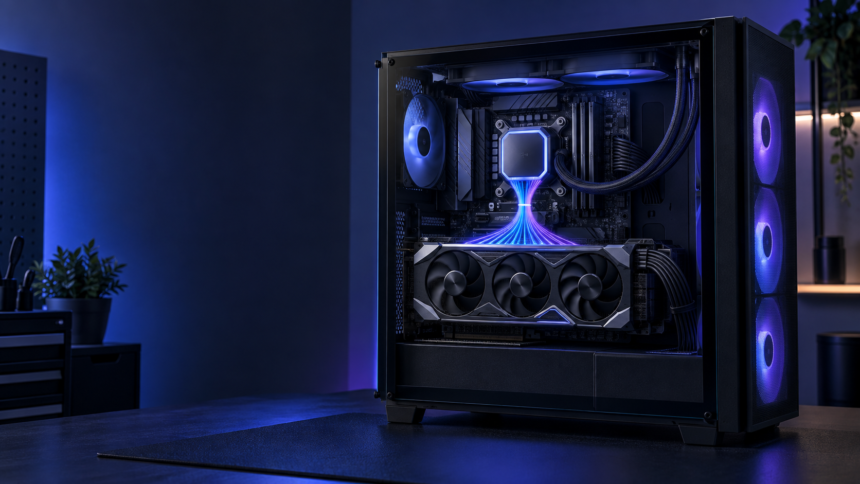
A bottleneck calculator is a tool that estimates whether one computer part may limit the performance of another part. It is commonly used to compare a processor, also called a CPU, with a graphics card, also called a GPU. The calculator tries to show whether these parts are balanced enough to work well together.
The idea is similar to water passing through a bottle. Even if the bottle is wide, water must slow down when it reaches the narrow neck. A computer can have the same kind of problem. One part may be very powerful, but another part may not be fast enough to keep up. The slower part can limit the speed of the whole system.
A bottleneck calculator can make this idea easier to understand. However, its result is only an estimate. It cannot predict the exact performance of every computer, game, or program.
What Is a Bottleneck Calculator?
A bottleneck calculator is an online tool that compares the expected performance of computer parts. Most calculators ask users to select a CPU and a GPU. Some also ask for the screen resolution, amount of memory, and the type of work the computer will perform.
After receiving this information, the tool may display a percentage or a short message. For example, it might say that the CPU could limit the GPU or that the two parts should provide balanced performance.
The displayed percentage does not mean that part of the computer’s power is always wasted. A result of 10% does not prove that the computer will lose exactly 10% of its speed. It is only the calculator’s estimate based on its own data and rules.
Different calculators can produce different results for the same parts. This happens because they may use different tests, formulas, and performance records. Therefore, a bottleneck calculator should be used as a helpful guide rather than a perfect measuring device.
How Does a Bottleneck Calculator Work?
A bottleneck calculator normally uses performance information collected from computer parts. It compares the estimated speed of a selected CPU with the estimated speed of a selected GPU.
The CPU handles general instructions, game rules, calculations, and many background tasks. The GPU creates images and sends them to the screen. These parts work together, but the amount of work given to each one changes from one task to another.
If the CPU cannot prepare information quickly enough, the GPU may have to wait. This is called a CPU bottleneck. If the GPU cannot draw images quickly enough, the CPU may have to wait. This is called a GPU bottleneck.
The calculator attempts to predict which situation is more likely. It may also change its estimate according to screen resolution. At a lower resolution, the GPU can often draw each image more quickly. The CPU may then become the main limit. At a higher resolution, every image contains more pixels, so the GPU must do more work.
Why People Use a Bottleneck Calculator
People often use a bottleneck calculator before choosing computer parts. It offers a quick way to check whether a planned CPU and GPU appear to be a reasonable match.
It can also help someone who wants to improve an existing computer. If a person plans to replace only one part, the calculator may show which upgrade is more likely to create a balanced system.
The tool is especially helpful for beginners because computer part names can be confusing. A simple result may help a new user notice a very uneven match, such as a weak processor paired with a much more powerful graphics card.
However, the calculator should not make the entire decision. Two parts that look balanced in a calculator may perform differently in real programs. The result is most useful as a starting point for further checking.
Understanding a Bottleneck Calculator Percentage
Many people misunderstand the percentage shown by a bottleneck calculator. They may believe that any result above zero is a serious problem. This is not correct.
Every computer has a limiting part at any given moment. A task cannot run with unlimited speed. When one part finishes its work more slowly than the others, that part becomes the current limit. The limiting part can also change while the computer is running.
For example, one part of a game may place more work on the CPU because many characters must be controlled. Another part may place more work on the GPU because it contains detailed lighting and images. The same computer can have a CPU limit at one moment and a GPU limit at another.
A small percentage should not cause immediate worry. It may simply suggest a minor difference between the estimated abilities of two parts. The number must be treated as a rough sign, not an exact promise.
Why Bottleneck Calculator Results Can Change
A bottleneck calculator result can change when the selected resolution changes. It may also change when a different task or program is chosen.
Resolution matters because a higher resolution gives the GPU more pixels to draw. Moving from a lower resolution to a higher one increases the graphics workload. This can make the GPU the main limit even when the CPU was the limit at a lower resolution.
Programs also use computer parts in different ways. Some depend heavily on CPU calculations. Others require more graphics power. Because of this, one fixed bottleneck result cannot describe every activity.
Memory speed, memory capacity, cooling, power limits, software settings, and background programs can affect real performance too. These details are not included in every calculator. Even when they are included, the calculator still cannot copy every condition inside a real computer.
How to Use a Bottleneck Calculator Correctly
To use a bottleneck calculator, begin by selecting the exact CPU and GPU. Similar product names can represent parts with very different performance, so the full model names should be checked carefully.
Next, choose the resolution that will actually be used. Selecting the wrong resolution can make the result less useful because resolution changes the amount of work handled by the GPU.
If the calculator provides a choice of tasks, select the option that best matches the computer’s main use. A result made for one type of program may not apply to another.
Read the explanation beside the percentage instead of looking only at the number. A useful calculator should identify the part that may become the limit and explain what the result means.
Finally, remember that the result is an estimate. It should be compared with real performance tests using the same CPU, GPU, resolution, and type of program whenever reliable tests are available.
Common Bottleneck Calculator Mistakes
One common mistake is treating a bottleneck calculator percentage as a guaranteed loss of performance. The number is an estimate, and real results may be different.
Another mistake is trying to reach a perfect result of zero. A computer cannot stay perfectly balanced in every task. The workload changes constantly, so the limiting part changes too.
Some users also compare parts at a resolution they do not plan to use. This can create a result that does not match their real experience.
Choosing the wrong model is another problem. A single letter or number in a product name can describe a different part. Entering incorrect information makes the result unreliable.
It is also a mistake to believe that replacing the named bottleneck will always produce a large improvement. If the current task already runs smoothly, an upgrade may create little noticeable change. A different part may then become the new limit.
What Makes a Bottleneck Calculator Useful?
A good bottleneck calculator is easy to understand and clear about its limits. It should let users choose exact parts and an appropriate resolution. It should also explain that its result is an estimate.
The tool is most useful when it helps identify a large and obvious mismatch. It is less useful when people try to use a small percentage as a precise measurement.
A clear calculator should avoid making frightening claims about normal differences between parts. No pair of computer parts will behave in exactly the same way across every program. A changing bottleneck is a normal part of how computers work.
The best result is not always the smallest number. The more important question is whether the selected parts can provide the performance needed for the intended task. A calculator can help answer part of that question, but it cannot observe the real computer while it is working.
Limits of a Bottleneck Calculator
No bottleneck calculator can test every possible computer setup. New software, updated drivers, different settings, and changes in temperature can affect performance.
The calculator may use general scores that combine many tests. These scores are helpful for broad comparisons, but they may hide important differences. A CPU that performs well in one program may be slower in another. The same is true for a GPU.
The tool also cannot know exactly what will happen during every moment of a program. Workloads are not fixed. Busy scenes may require more processing power, while simple scenes may require less.
For these reasons, a bottleneck calculator should never be treated as proof that a computer will perform at a certain speed. Its job is to point out a possible imbalance and help users ask better questions.
Conclusion
A bottleneck calculator is a simple tool for estimating whether a CPU and GPU are likely to work well together. It can help beginners understand computer balance, notice major mismatches, and make more informed choices.
Its percentage is not an exact measurement, a guarantee, or proof that a set amount of performance will be lost. Real performance changes with resolution, programs, settings, cooling, memory, and many other conditions. The limiting part can even change from one moment to the next.
The correct way to use a bottleneck calculator is to enter accurate information, choose the intended resolution, read the full explanation, and treat the result as a rough guide. Used in this way, it can be helpful, clear, and informative without creating false expectations.
Read also PO Box 6887 Coventry: What It Is and Why You May Get a Letter